Our Commitment to Accessibility
At ExpenseWise, we believe that everyone should have equal access to information and services, regardless of their abilities. We are committed to providing a website that is accessible to the widest possible audience, conforming to the Web Content Accessibility Guidelines (WCAG) 2.1 Level AA.
Accessibility Features Implemented
We have implemented several features to enhance the accessibility of our website:
-
Semantic HTML:
We use semantic HTML elements (e.g.,
<article>,<nav>,<aside>,<header>,<footer>) to structure our content, making it easier for screen readers and other assistive technologies to understand the page layout. - ARIA Attributes: We strategically use ARIA (Accessible Rich Internet Applications) attributes to provide additional information about interactive elements and page structure to assistive technologies. These attributes help to define roles, states, and properties of elements, improving the user experience for people with disabilities.
-
Alternative Text for Images:
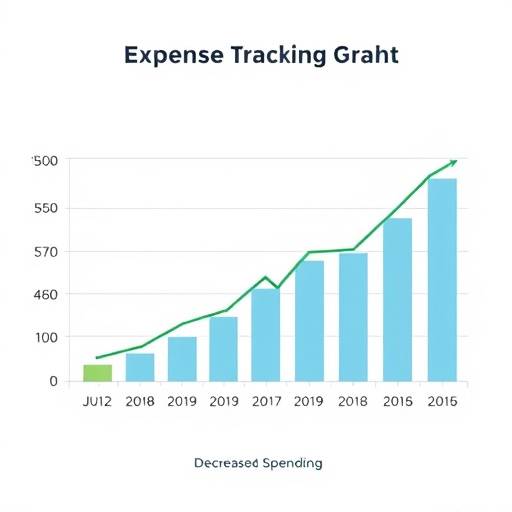
All images on our website have descriptive alternative text (alt text) that conveys the content and function of the image to users who cannot see them. This includes users who are blind or visually impaired, as well as users who have images disabled in their browsers. Example:
 .
.
- Keyboard Navigation: Our website is fully navigable using a keyboard. Users can easily move between links, form elements, and other interactive elements using the Tab key, and activate elements using the Enter key. We also ensure that focus indicators are always visible to help users track their position on the page.
- Color Contrast: We have carefully chosen color combinations that provide sufficient contrast between text and background, ensuring that our content is readable for users with low vision or color blindness. We regularly use color contrast checkers to verify that our website meets WCAG requirements.
- Clear and Consistent Navigation: Our navigation menus are clear, consistent, and easy to use. We use descriptive link text to help users understand where each link will take them. The navigation structure is also designed to be logical and intuitive.
- Resizable Text: Users can easily resize the text on our website using their browser settings. Our website is designed to reflow and adapt to different text sizes without losing content or functionality.
- Forms Accessibility: All form elements have properly associated labels, providing clear instructions for users filling out forms. We also use ARIA attributes to indicate required fields and provide error messages.
- Video Captions and Transcripts: All videos on our website have captions and transcripts available, making them accessible to users who are deaf or hard of hearing.
Detailed Examples of Accessibility Implementation
ARIA Attribute Usage
We utilize ARIA attributes to enhance the user experience for those using assistive technologies. For example, if we have a custom dropdown menu, we might use the following attributes:
-
aria-haspopup="true": Indicates that the element has a popup menu. -
aria-expanded="false": Indicates whether the popup menu is currently visible. -
aria-label="Select a category": Provides a descriptive label for the dropdown menu.
These attributes help screen readers announce the presence and state of the dropdown menu, making it easier for users to interact with it.
<button aria-haspopup="true" aria-expanded="false" aria-label="Select a category">
    Choose Category
</button>
For dynamic content updates, we use
aria-live
regions to notify screen readers of changes. For example, if an error message appears after form submission, we might use:
<div aria-live="polite" id="error-message">
    Please correct the errors below.
</div>
The
aria-live="polite"
attribute ensures that the screen reader announces the error message without interrupting the user's current task.
Color Contrast Compliance
We adhere to WCAG guidelines for color contrast to ensure readability. For example, if our background color is
#f0f0f0
(light gray), our text color must be dark enough to provide a contrast ratio of at least 4.5:1 for normal text and 3:1 for large text. We use tools like the WebAIM Color Contrast Checker to verify our color choices.
Keyboard Navigation Strategies
We ensure that all interactive elements are focusable and that the focus order is logical. We use CSS to provide clear and visible focus indicators. For example, links and buttons have a visible outline when focused:
a:focus, button:focus {
    outline: 2px solid var(--accent-color);
    outline-offset: 2px;
}
Web Content Accessibility Guidelines (WCAG) Compliance
ExpenseWise aims to comply with WCAG 2.1 Level AA. These guidelines are an internationally recognized standard for web accessibility, covering a wide range of recommendations for making web content more accessible. Our efforts to comply with WCAG include:
- Perceivable: Ensuring that information and user interface components are presentable to users in ways they can perceive. This includes providing alternative text for images, captions for videos, and sufficient color contrast.
- Operable: Ensuring that user interface components and navigation are operable. This includes making our website keyboard navigable, providing enough time for users to read and use the content, and avoiding content that causes seizures.
- Understandable: Ensuring that information and the operation of the user interface are understandable. This includes making text readable and understandable, providing clear instructions and error messages, and using consistent navigation.
- Robust: Ensuring that content is robust enough that it can be interpreted reliably by a wide variety of user agents, including assistive technologies. This includes using valid HTML and ARIA attributes correctly.
Continuous Improvement
Accessibility is an ongoing effort. We regularly review and update our website to ensure that it remains accessible to everyone. We welcome feedback from users with disabilities. If you encounter any accessibility barriers on our website, please contact us at accessibility@expensewise.ca or call us at 647-555-1234. Our office is located at 20 Bay Street, Toronto, ON M5J 2N8. You can also contact our accessibility officer, Ms. Anya Sharma.
Table Accessibility
We use tables to display structured data in an accessible manner. Each table includes a descriptive caption and appropriate
scope
attributes for table headers.
| Feature | Basic Plan | Premium Plan | Enterprise Plan |
|---|---|---|---|
| Expense Tracking | ✔ | ✔ | ✔ |
| Budgeting Tools | ✔ | ✔ | ✔ |
| Financial Reports | ✘ | ✔ | ✔ |
| Dedicated Support | ✘ | ✘ | ✔ |